

Workflow screenshot
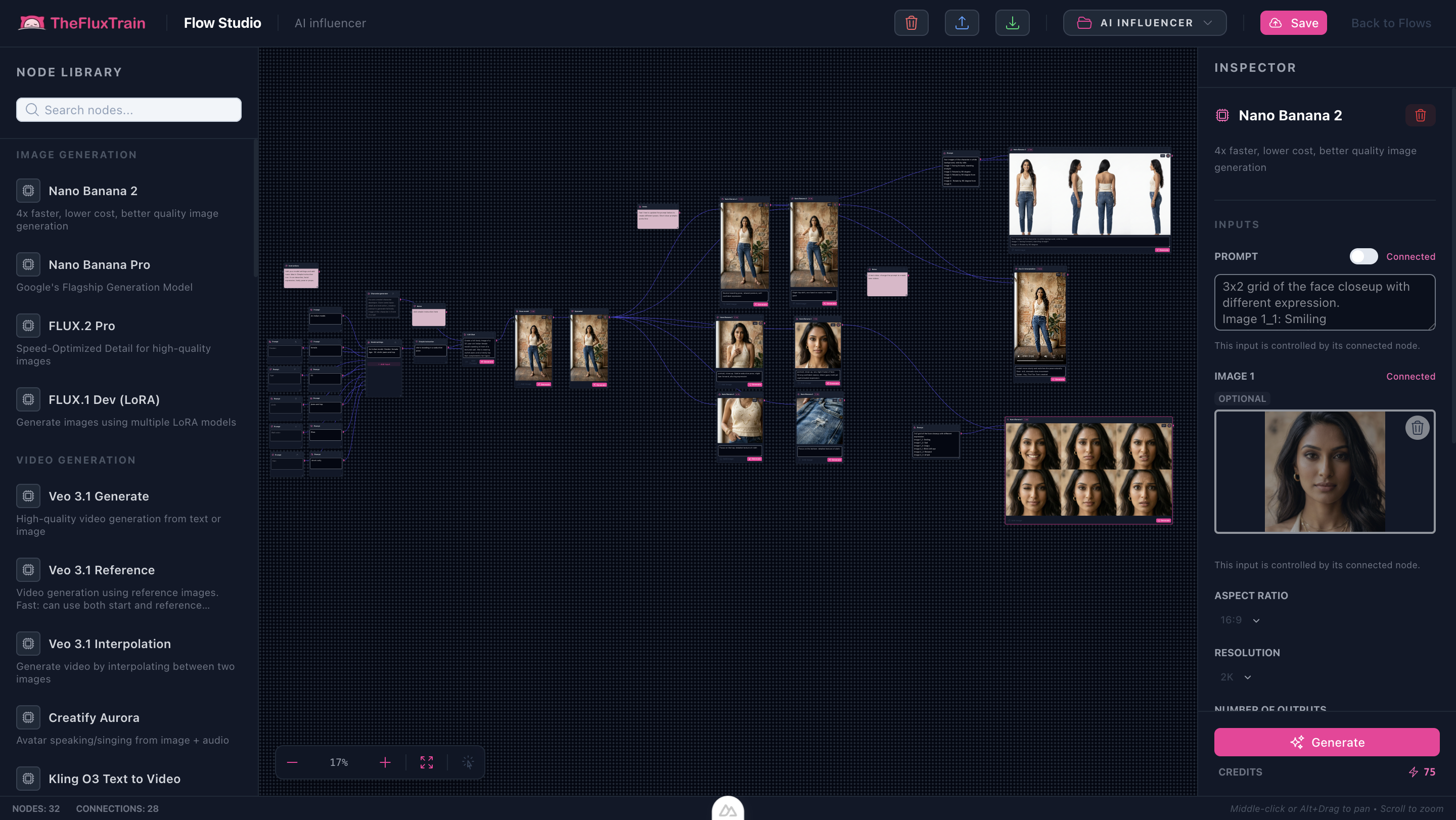
Workflow README
Our flagship influencer JSON ships with sinks for portraits, outfits, and motion previews.
- Character sheets anchor downstream prompts.
- Swap wardrobe + product plates without rewiring.
- Animate speaking beats once audio nodes are connected.
Proof in minutes
Sample outputs
Frames from the bundled template: base model, upscale reference, pose variants, portrait, and expression grid.


3-step path
Value inside five minutes
1
Configure talent
Set biography prompts or plug in a trained LoRA reference.
2
Generate scenes
Iterate poses and environments via sinks before locking.
3
Publish clips
Route winners through video + voice nodes for platform-ready cuts.
Safe first edits
What you can change first
Talent biographyWardrobe cuesProduct placementVoice presetMotion style
Ship faster
Start from a workflow template
Customize nodes only when you need to. Duplicate this graph for the next campaign instead of staring at an empty canvas.
Full walkthrough
Prefer a guided tutorial?
Step-by-step run order, ethics notes, and sample outputs for this template.
Open tutorialFAQ
Frequently asked questions
It is a ready-made Flow Studio graph that takes you from a consistent character reference to scene stills and speaking clips. Nodes for portraits, outfits, products, and motion are already wired so you are not starting from an empty canvas.
No. You can start from biography prompts and reference images. A trained LoRA is optional when you want stronger identity lock across many generations.
Use the character sheet sinks as the identity anchor, then branch into pose and wardrobe variants from those sheets instead of regenerating the person from scratch each time.
Yes. The template includes product plate sinks so you can swap wardrobe or product images without rewiring the graph for each campaign.
Follow the on-site tutorial at /tutorials/ai-influencer-creator-flow-workflow for ethics notes, run order, and sample outputs from this template.
Yes. This page ships the Flow Studio template for production graphs. Training-focused blogs cover LoRA setup; this workflow is for generating recurring looks once identity is locked.