
Tutorials
Consistent virtual influencer looks | TheFluxTrain

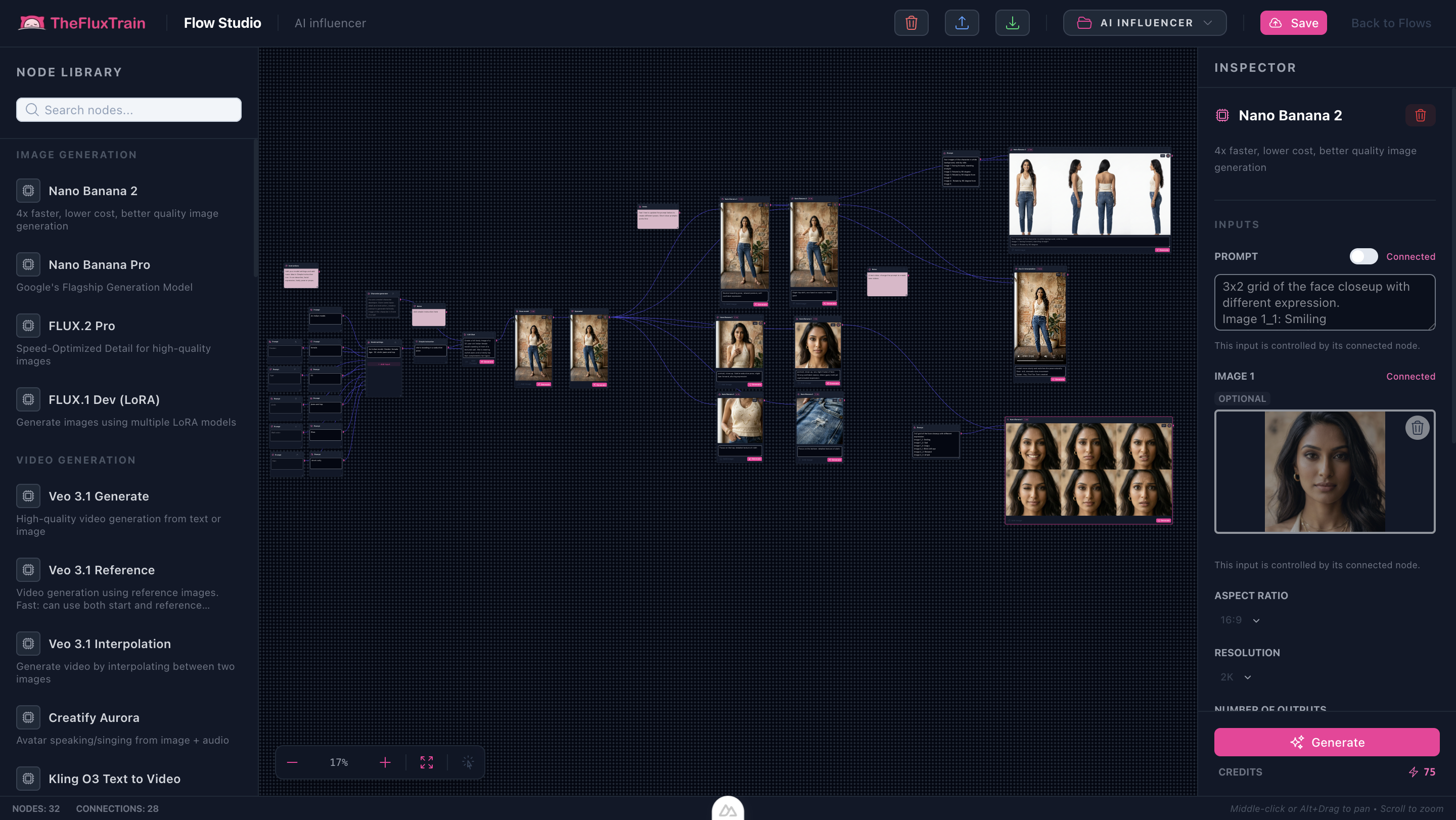
This tutorial tracks the shipped AI Influencer Creator Flow Studio template (distinct from training-focused influencer steps).
Note: Upscale plus multiple Nano Banana branches add up in credits—budget exploration before locking motion hooks.
Try it: Open the AI Influencer Creator workflow
Ethics (read first)
Disclosure: Label synthetic talent wherever platforms require it. Do not impersonate real people without authorization. When in doubt, escalate to counsel alongside your compliance playbook.
Proof strip (upscale → sheet)


What you’ll need
- Modular biography snippets — wardrobe tone, attitude, casting notes you can concatenate cleanly.
- Iteration appetite — still anchors rarely match motion goals on the first sink pass.
The workflow in one sentence
Merge biography fragments → mint base anchor → upscale identity → branch Nano Banana poses/portraits/grids → audition sinks → optional motion downstream.
Inside Flow Studio
Discrete prompt inputs feed concatenation and Base model generation; an upscale checkpoint sharpens identity before parallel branches explore outfits, poses, portraits, and expression grids.
Landing gallery (all sample generations)


Step-by-step
- Open the workflow — AI Influencer Creator.
- Configure talent — Edit the snippets feeding concatenation until the assembled biography reads cohesive.
- Generate anchor — Run Base model; iterate sinks for stable likeness.
- Upscale winners — Push the approved anchor through the upscale node before heavy branching.
- Branch poses and sheets — Fire Nano Banana branches; compare sinks without rewriting upstream biography text.
- Motion (when wired) — Route winners plus audio into downstream video nodes—expect editorial trimming.
Why this works
- Central biography knobs — downstream branches vary pose or lighting, not your entire casting paragraph.
- Upscale gate — sharper anchors survive iterative distortion.
- Transparent graph — teams see which lever moved.
Limitations
- Motion previews remain draft-quality without finishing polish.
- Product integrations still need authentic SKU or licensed artwork approvals.
- Synthetic influencer messaging must stay compliant with platform rules.