
Tutorials
Tutorial·
Talking head video from a portrait plus your narration | TheFluxTrain
Upload a clear headshot, add voiceover, and preview a synced speaking clip you can polish later. Handy for quick promos, explainers, and social previews inside Flow Studio.

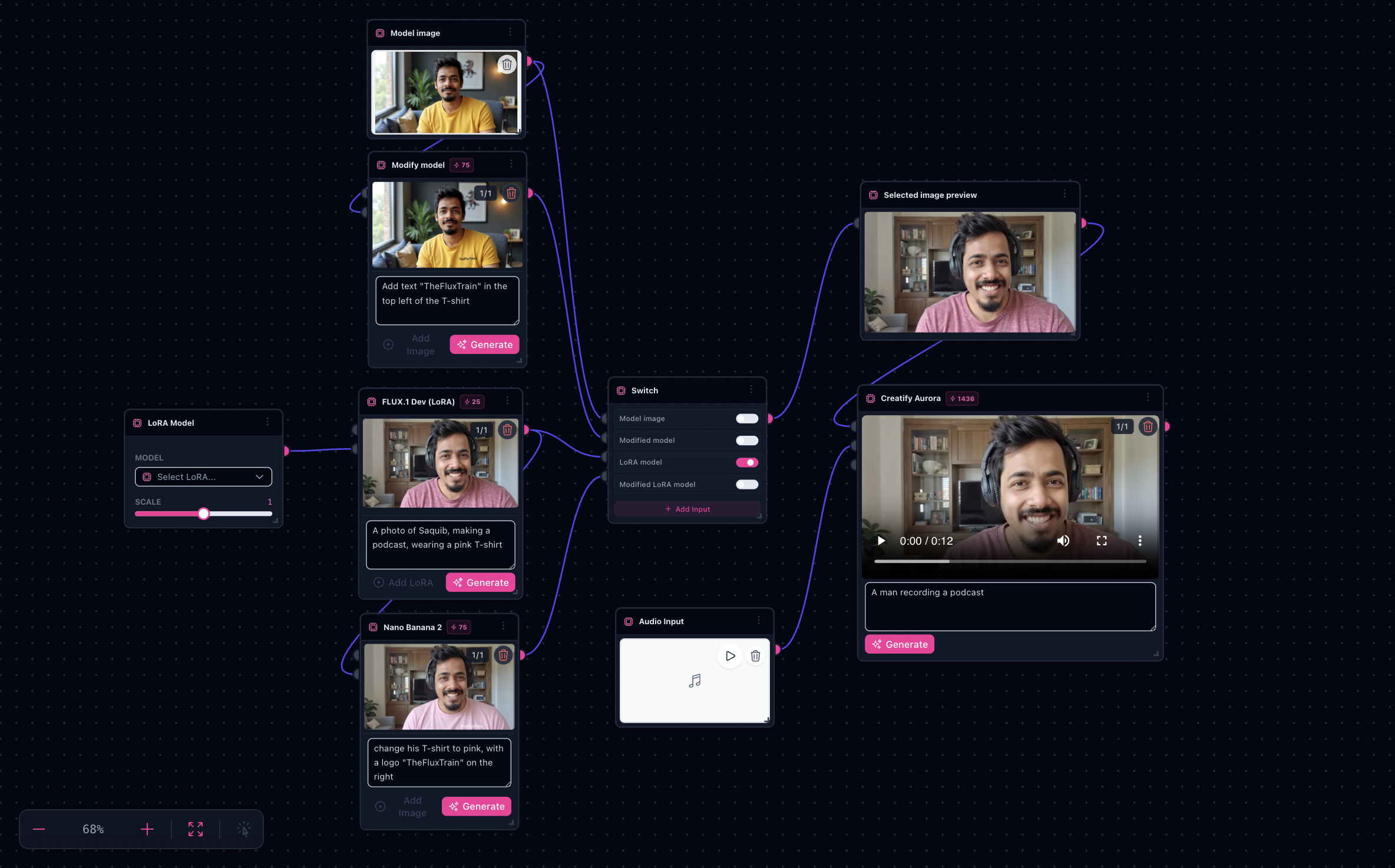
Walkthrough for AI Speaking Avatar: still plate plus VO in one graph—preview clips before you polish in an editor.
Note: Video sinks typically cost more wall-clock time and credits than still previews.
Try it: Open the Speaking Avatar workflow
Bundled demo inputs

Demo VO bundled with the landing: listen to sample MP3
What you’ll need
- Clear portrait framing — slight 3/4 or straight-on works better than extreme angles early.
- Clean narration audio — normalized levels and minimal room noise.
- Optional wardrobe edit prompts if you use refinement branches before motion.
The workflow in one sentence
Prepare portrait candidates → select the active plate → attach VO → run Creatify Aurora → pick the best sink clip.
Inside Flow Studio
Branches optionally refine plates; a switch chooses which image feeds Creatify Aurora alongside audio and optional scene prompts.
Sample clip (template sink output)
pReview-quality motion—expect trimming, color, and captions outside Flow Studio for hero campaigns.
Step-by-step
- Open the workflow — AI Speaking Avatar.
- Bring portrait + VO — Replace demo audio on the input wired to Creatify; swap portrait plates feeding the selector path.
- Tune the scene — Adjust optional prompt lines—or lock prompts and iterate motion only.
- Route the winner — Use the switch when multiple portrait candidates exist.
- Generate — Run the avatar node; audition sinks for lip-sync feel, then export for finishing.
Tips
- Match VO energy to facial expression in the still.
- Keep framing consistent across iterations so motion models stay stable.
Limitations
- Treat first passes as drafts, not broadcast finals.
- Only animate people you are authorized to depict.
- Long scripts may need chunked VO or timeline edits elsewhere.