
Tutorials
Tutorial·
Marketplace hero images with readable text | TheFluxTrain
For sellers who need a confident first picture and room for specs or badges. Covers safe headline zones, honest claims, and crops shoppers can read on a phone.

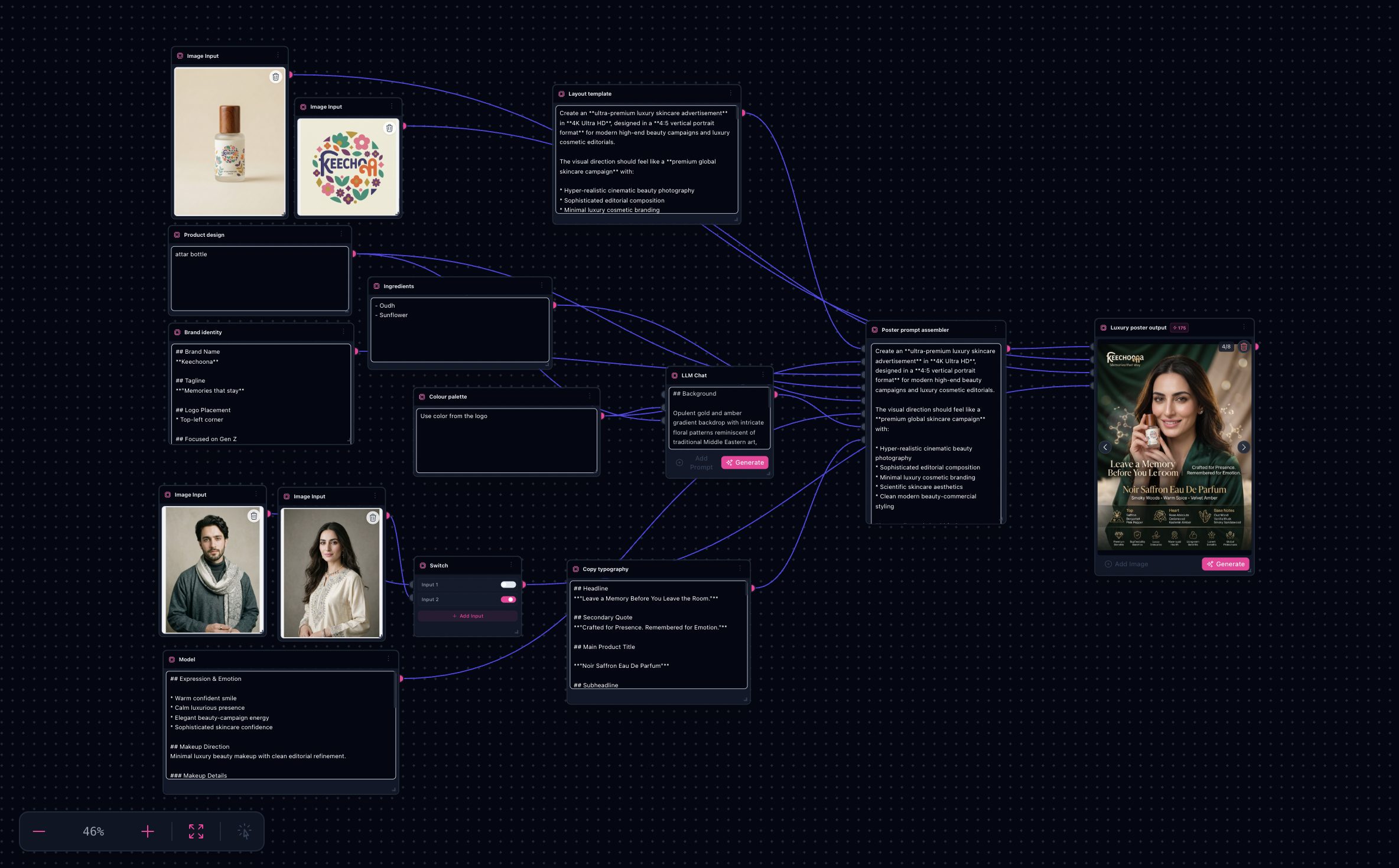
The Amazon listing poster (flow_templates row) maps cleanly to ai-product-poster-generation. Operational mechanics mirror /tutorials/ai-product-poster-generation-workflow; this article focuses marketplace SKU clarity, safe copy zones, and hero crops.
Note: Channel policies change quarterly—everything here stays illustrative prior to merchant compliance sign-off.
Try it: Open Product Poster workflow · Amazon listing poster in Explore
Gallery cues (landing explorations repurposed)


Poster explorations reratio-friendly for PDP hero placements—duplicate tabs per SKU revision.
What you’ll need
- Pack renders cropped with intentional margin for overlays (titles, badges).
- Listing copy stubs routed through approved marketing/legal—not invented here.
- A mental prime tile framing (typically square-ish) aligned with storefront UI.
Marketplace-specific playbook
- SKU dominance — keep packaging legible larger than muse faces whenever compliance demands literal labels.
- Claims discipline — relegate quantitative statements to subdued footnotes for human editing.
- Aspect planning — render slightly larger than final listing minimums so external crops stay crisp.
Step-by-step (delta atop master tutorial)
Follow /tutorials/ai-product-poster-generation-workflow through sink selection, then add:
- Overlay rehearsal — drop semi-transparent rectangles in Figma atop exports to emulate title stacks.
- Duplicate tab discipline — one Flow tab per ASIN lineage to reduce cross-wire mistakes.
- Layer exports — hand winners to whoever owns PSD/TIFF ingestion for PDP managers.
Limitations
- DB export lacked mineable thumbnails for this row—the landing gallery fills the gap until JSON is restored.
Next step
Open Product Poster workflow · Amazon listing poster in Explore