

Workflow screenshot
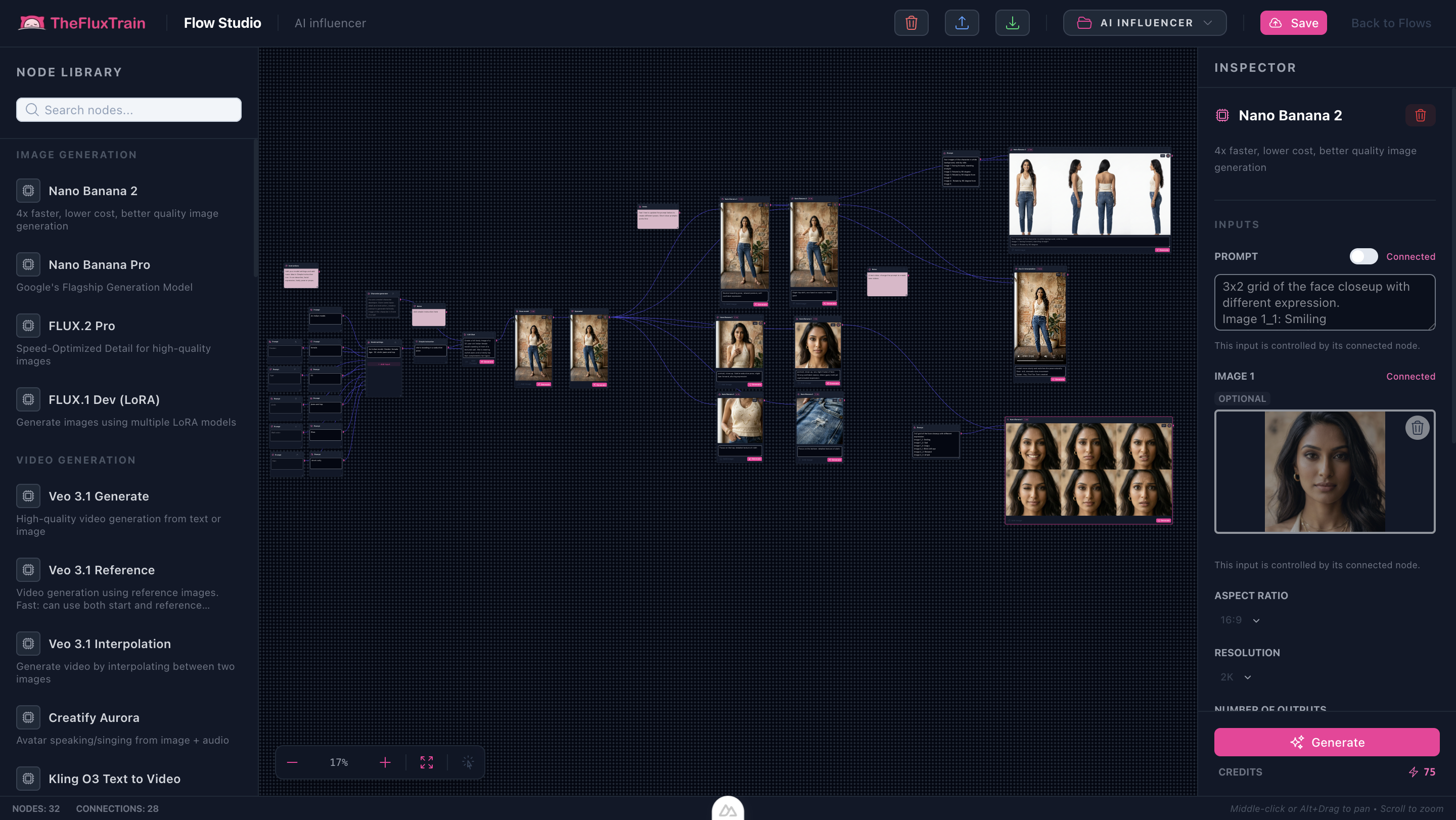
Workflow README
Our flagship influencer JSON ships with sinks for portraits, outfits, and motion previews.
- Character sheets anchor downstream prompts.
- Swap wardrobe + product plates without rewiring.
- Animate speaking beats once audio nodes are connected.
Proof in minutes
Sample outputs
Frames from the bundled template: base model, upscale reference, pose variants, portrait, and expression grid.


3-step path
Value inside five minutes
1
Configure talent
Set biography prompts or plug in a trained LoRA reference.
2
Generate scenes
Iterate poses and environments via sinks before locking.
3
Publish clips
Route winners through video + voice nodes for platform-ready cuts.
Safe first edits
What you can change first
Talent biographyWardrobe cuesProduct placementVoice presetMotion style
Ship faster
Start from a workflow template
Customize nodes only when you need to. Duplicate this graph for the next campaign instead of staring at an empty canvas.