
Workflow screenshot
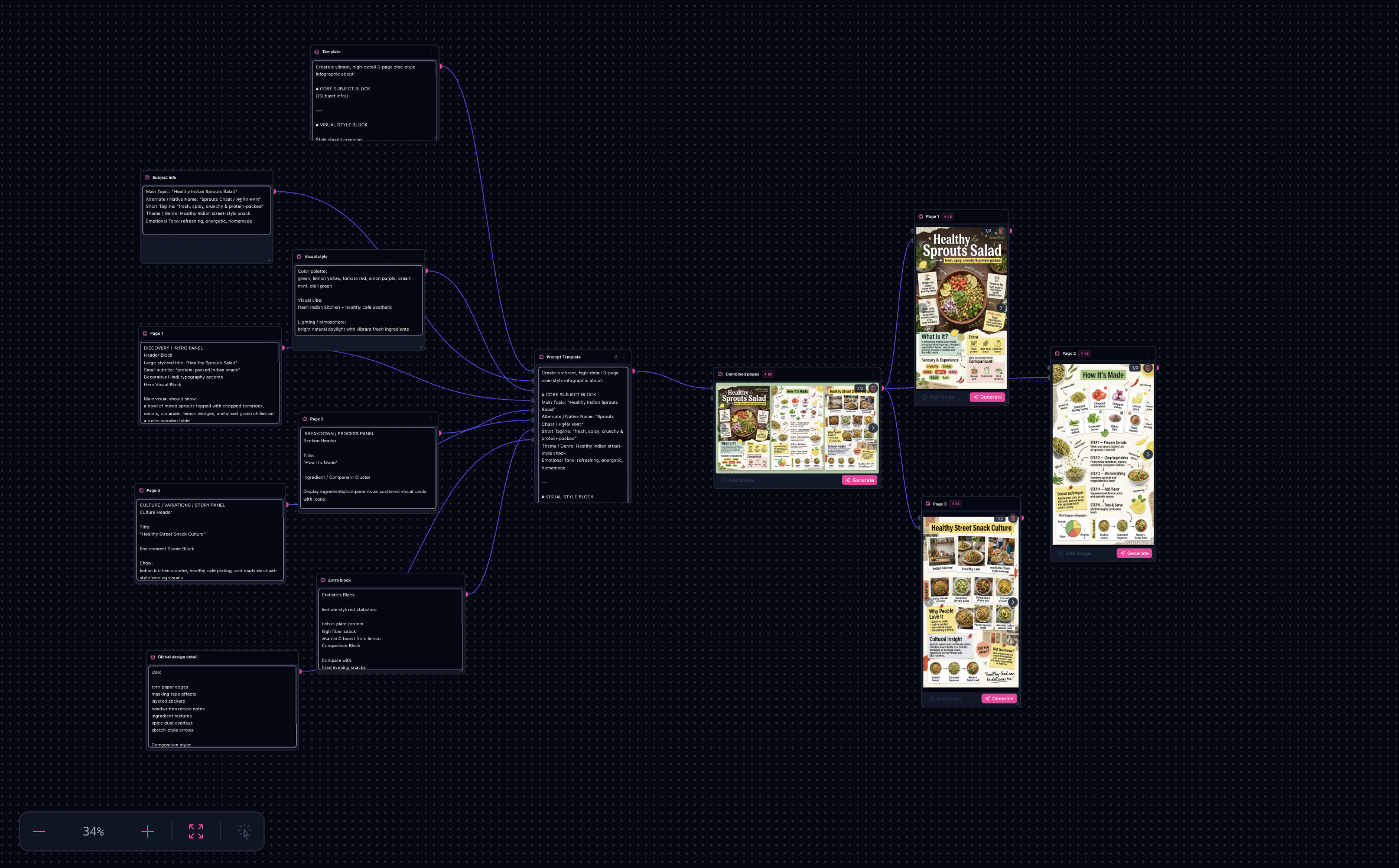
Workflow README
Reuse the campaign layout scaffold—swap data callouts, iconography cues, and brand prompts per refresh.
- Keep aspect ratios locked per channel while exploring infographic directions.
- Use iteration sinks to compare palettes and hierarchy without rewiring.
- Export masters once upscalers finish—reuse the same graph for the next report or drop.
Proof in minutes
Sample outputs
Per-page Nano Banana extractions from the bundled template (spread node omitted here).


3-step path
Value inside five minutes
1
Choose the infographics workflow
Load the template with layout nodes already wired for multi-output exploration.
2
Drop your brief
Paste stats, timelines, headlines, logos, or reference frames into labeled inputs.
3
Ship variations
Pick winners, upscale, and duplicate the tab for localized or channel-specific editions.
Safe first edits
What you can change first
Brief textBrand assetsAspect ratiosTypography promptsUpscale targets
Ship faster
Start from a workflow template
Customize nodes only when you need to. Duplicate this graph for the next campaign instead of staring at an empty canvas.