
Workflow screenshot
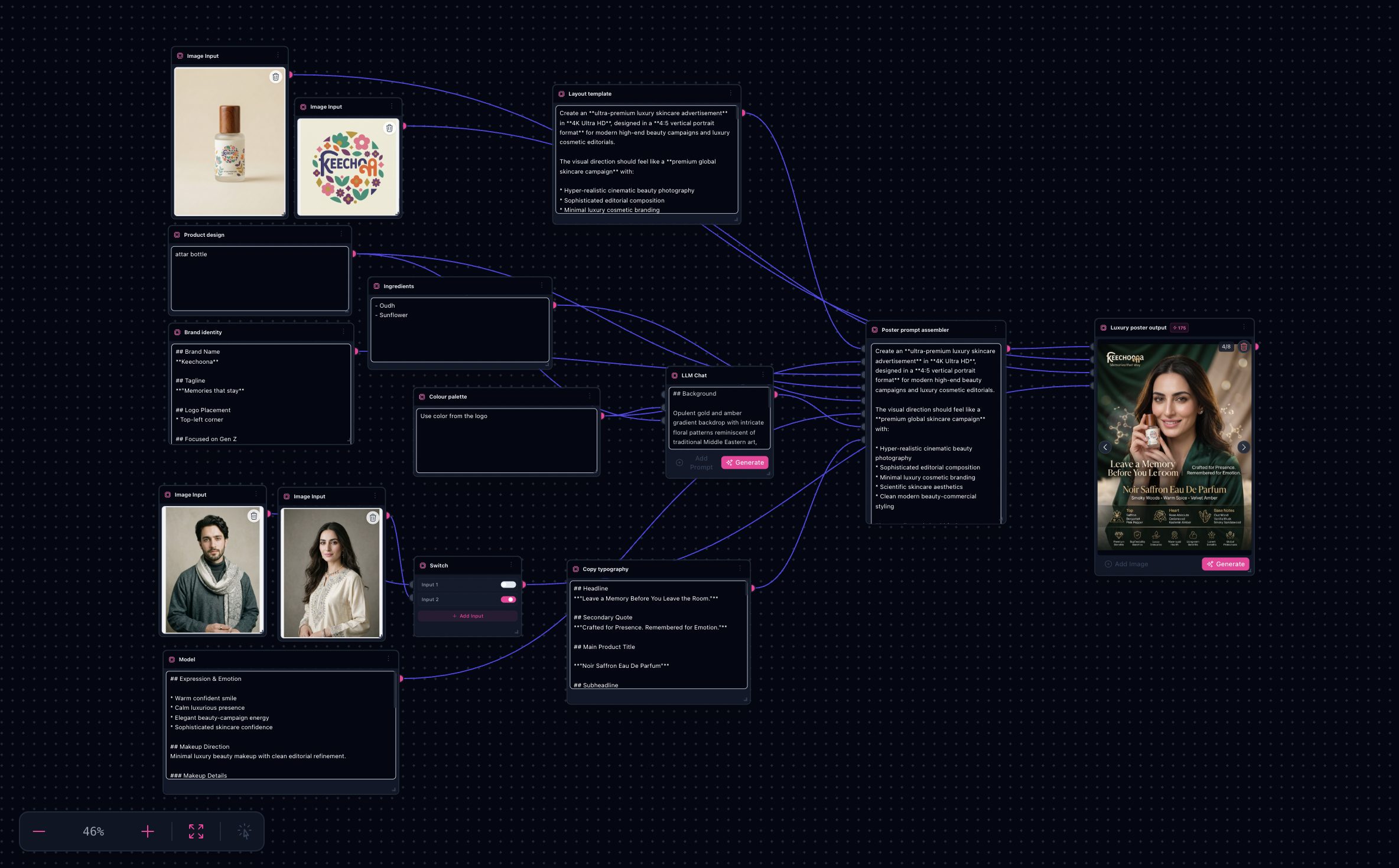
Workflow README
Poster-first paths pair image generators with typography-friendly prompts while references keep packaging and SKU details consistent.
- Plate product shots into refs so labels and silhouette stay truthful across variants.
- Use sinks and tab groups for A/B compositions before you finalize a hero layout.
- Duplicate branches for billboard, social, or print trims without rewiring foundations.
Proof in minutes
Sample outputs
Poster runs from the template’s Nano Banana node—sink history from the bundled JSON (same session as the graph).


3-step path
Value inside five minutes
Load product refs
Import packshots or plates into anchored image inputs wired to downstream generators.
Shape the poster
Iterate layout prompts—backgrounds, lighting, typography cues—inside the duplicated branches you need.
Export sizes
Lock winners, upscale for print specs, then fork trims for storefront, OOH, and paid social placements.
Safe first edits
What you can change first
Ship faster
Start from a workflow template
Customize nodes only when you need to. Duplicate this graph for the next campaign instead of staring at an empty canvas.