
Flow Library
Instagram·
Convert UGC video into professional Instagram posts
This flow can input a UGC video, allow user to iterate the look and feel of the target video, and convert the input video into the target. You can change cloth, clean up faces, change background etc.
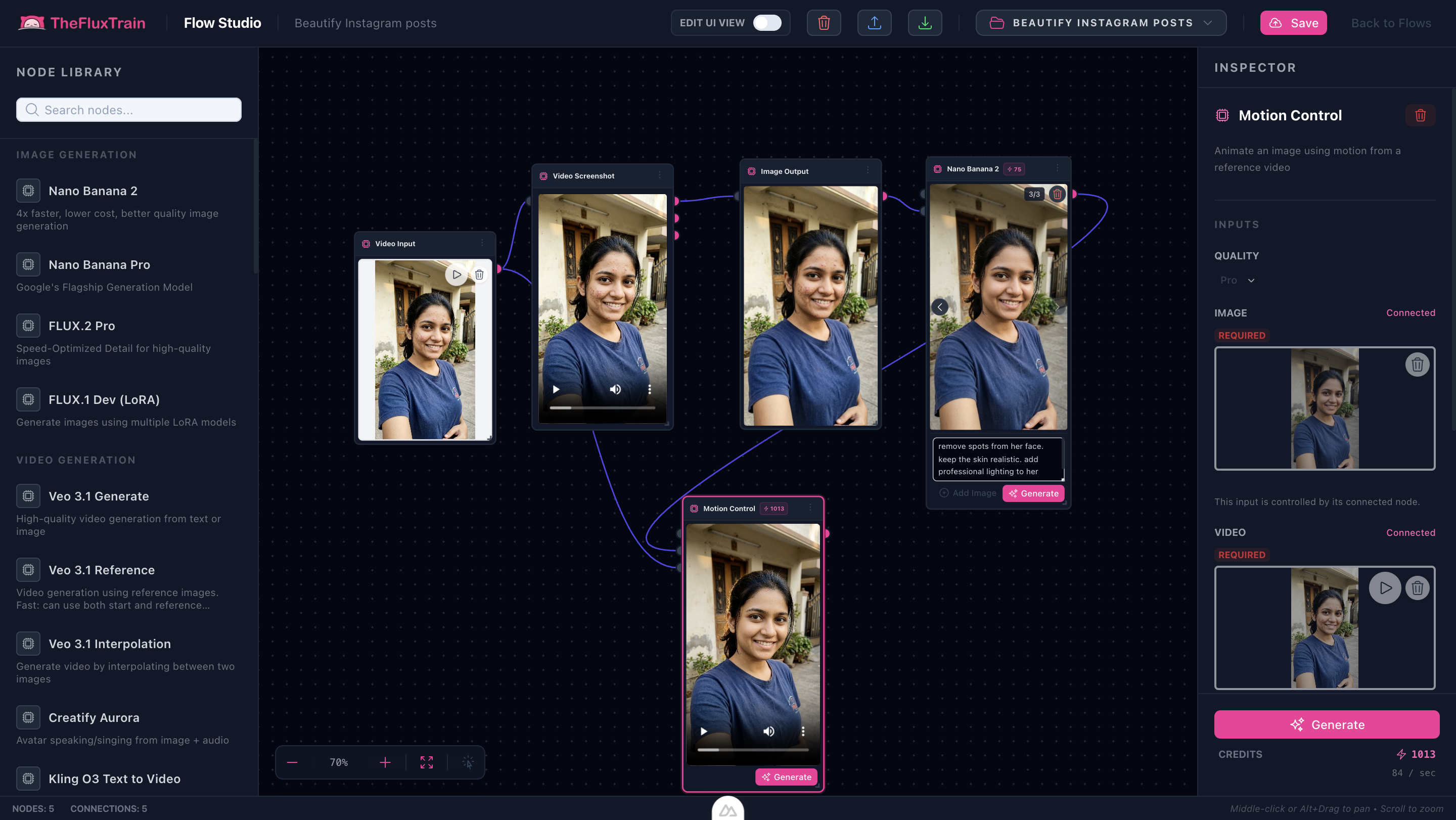
Beautify Instagram Posts Preview
Transform raw User Generated Content (UGC) into professional-grade Instagram posts. This flow allows for iterative refinement of look and feel before final conversion, ensuring your social media content stands out.
Ready to use this flow?
Download Flow JSONHow it works
The flow takes a raw video, extracts a key frame for visual editing, applies AI-driven enhancements, and then propagates those changes back to the entire video sequence:
- UGC Video Input: Start with any raw mobile-captured video.
- Visual Iteration: Use the
model-nano-banana-2node to iterate on a single frame.- Face Cleanup: Remove spots, smooth skin, and add professional lighting.
- Clothing Swap: Change outfits (e.g., "make her wear a shirt").
- Background Control: Modify or clean up the environment.
- Motion Control: The
model-motion-controlnode ensures the AI-generated look is applied consistently across the video's motion. - High-Quality Output: Final rendering in "Pro" quality for social media readiness.
Key Features
- Material & Outfit Swap: Intelligently applies new clothing textures and styles to the subject in the video.
- Identity Preservation: Cleans up facial features while keeping the skin realistic and the identity consistent.
- Professional Lighting: Adds studio-quality lighting to raw UGC footage.
- Environment Transformation: Change or enhance backgrounds to match your brand's aesthetic.
Ready to use this flow?
Download Flow JSON