
What Is Vibe Video? The New Way to Create Films by Talking to AI

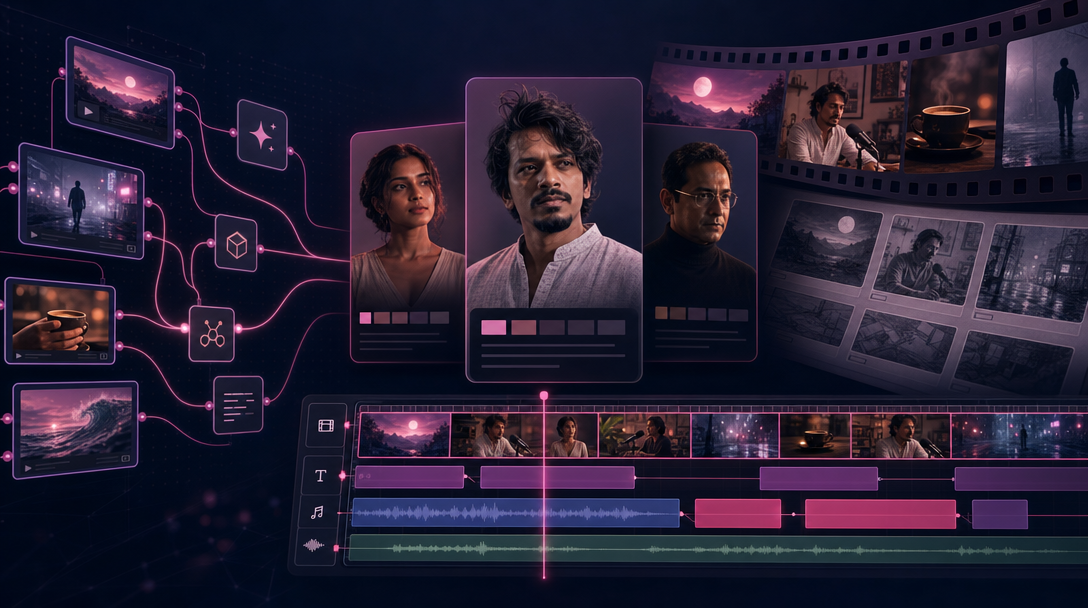
Stylized vibe video production collage—character bibles, Flow Studio node graph, and video editor timeline
If you make short films, ads, or social videos, vibe video is a way to work that might feel familiar: you talk about what you want, and AI helps you get there. You describe the story in everyday language. An AI assistant helps with the script, the drawings, keeping your character looking the same, making each scene, and putting it all together in an editor.
Planning a film is nothing new. What is new is having one place where the character stays consistent, scenes are made in order, and you can watch the whole thing before you share it.
This guide uses Claude (an AI chat app) and TheFluxTrain (the production website). Other AI apps work the same way.
Quick answer: Vibe video means you describe your story in plain language and AI tools help with the script, storyboard drawings, characters, scene clips, and final edit. Plan on using some credits and redoing a few shots before you are happy with the result.
Note: Your first version is usually a draft, not a masterpiece. That is normal. I use Claude and TheFluxTrain here, but you can swap tools.
What do you need before you start?
Gather these before you spend credits:
ChatGPT (or similar) — A place to brainstorm your story first: mood, how it should look, how fast it should feel.
A simple creative brief — One paragraph: what kind of film, how long, who it is for. Rough notes are fine.
An AI chat app — Claude, Cursor, or similar. You will have a back-and-forth conversation, not a single typed request.
A TheFluxTrain account — Where you store characters, run your production steps, and edit the final video. Your work saves so you can reuse it later.
Time and credits — First try: plan an afternoon. Each image and video clip uses credits on TheFluxTrain; drawings cost less than video, and you will likely redo a few shots.
How is vibe video different from vibe coding?
Vibe coding is a trend where you tell an AI what you want an app to do, it writes the code, and you steer by chatting—"make the button blue," "add a login page"—instead of programming every line yourself.
Vibe video works the same way, but for film. You bring your taste ("slower," "she looks tired," "rain on the window"). The AI handles the tedious parts—tracking files, running generations, placing clips on a timeline. You decide what the film should feel like; the tools help with how to make it.
| Vibe coding | Vibe video |
|---|---|
| "Add a login page." | "Open on rain at the window; she realizes the letter is fake." |
| AI edits code files | AI updates your script and shot list |
| You review and ask for fixes | You review drawings and clips and ask for fixes |
| Output: working app | Output: finished video |
The big idea is not typing magic words into a generator. It is running a whole production—with your creative choices remembered from step to step.
How does Claude act as your creative director?
Think of Claude as a collaborator who can wear different hats in one conversation:
- Writer — Turns your idea into scenes and a simple script.
- Director — Suggests wide shots, close-ups, and what happens in each frame.
- Organizer — Keeps track of which character belongs in which scene.
- Editor's eye — Spots problems ("wrong jacket," "pacing feels slow") and suggests fixes.
When something looks wrong, you say it in normal words: "the pacing is flat" or "she should look exhausted, not angry." Claude turns that into updated notes for the next step. You are talking about the film, not fiddling with technical settings in five different tabs.
Your taste still matters most. A vague request like "make something cinematic" gives you generic results no matter how good the AI is.
Pay attention at these moments:
- Before you generate anything — Get clear on mood and how characters should look. Storyboard drawings are cheap to redo; video is not.
- When reviewing storyboards — Fix the face, clothes, and framing in the still drawings. Do not move to video until these look right.
- If you change a costume mid-project — Update the saved character profile in TheFluxTrain. The AI will not reliably remember a coat color from an old chat message.
- On the AI's first draft — Treat it as a starting point. Push back before you spend credits on production.
The process welcomes do-overs. It does not forgive skipping planning.
What does a good conversation look like?
You: I want a 45-second noir short. A detective in a trench coat finds a photo in a pawn shop. Rain, neon, no talking—just tension.
Claude: I will break this into four moments: rain outside, detective enters the shop, hands pick up a photo frame, reaction shot—the photo shows someone he thought was dead. I will note his tan trench coat and wet shoulders so he looks the same in every scene. Want me to write a short script and shot list before we make anything?
You: Yes. Keep his face hidden until the last moment.
Claude: Done. The last moment is the first clear look at his face. Next step: save a character profile in TheFluxTrain and make storyboard drawings before we turn anything into video.
That rhythm—describe, plan, review, adjust—is what people call vibe directing. For a step-by-step first project, see How to Create Your First AI Short Film with Claude and TheFluxTrain.
How does TheFluxTrain support a vibe video workflow?
Claude is great at thinking about your film. It is not a studio—it will not remember your character's face next week or give you a timeline where you can trim clips and add music.
TheFluxTrain is that studio. Think of Claude as the conversation at the director's table; TheFluxTrain is where the work gets made and saved. Three main areas:
Characters
A character profile (sometimes called a character bible) stores reference pictures so your lead looks the same in every scene—the same face, hair, and outfit. You set it up once instead of re-describing "woman, 30s, red hair" every time.
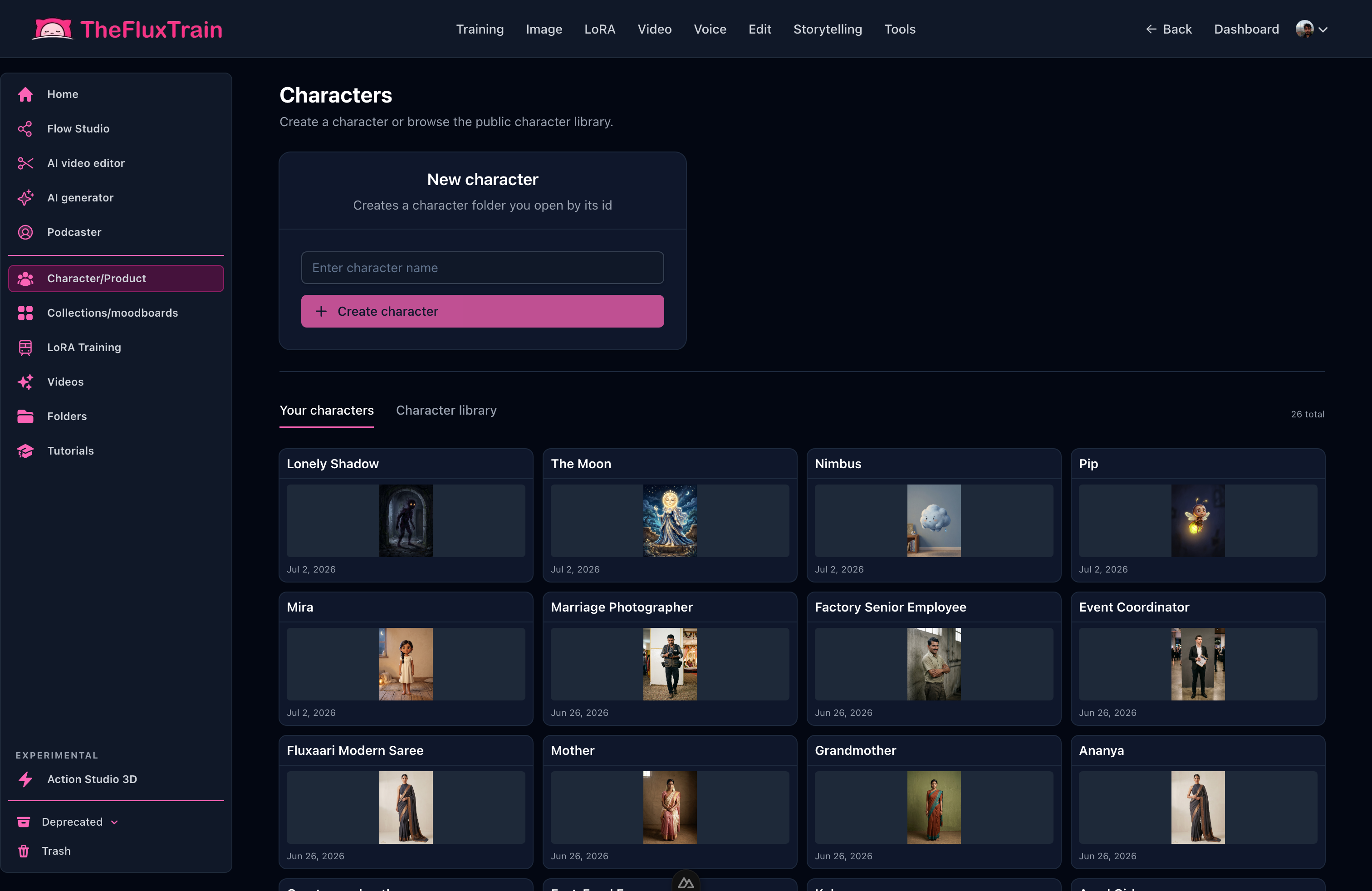
Create a character once, then use the same reference for every drawing and clip.
Flow Studio
Flow Studio is TheFluxTrain's visual workflow builder. It connects the steps for each scene—write what you want, attach reference images, generate a drawing, turn it into video—in the same order every time. Save a workflow that works, then reuse it on your next film with a new story.
The Flow Studio assistant in the browser lets you describe changes in plain language ("use a different video model," "add a second character on scene three") without rebuilding everything from scratch.
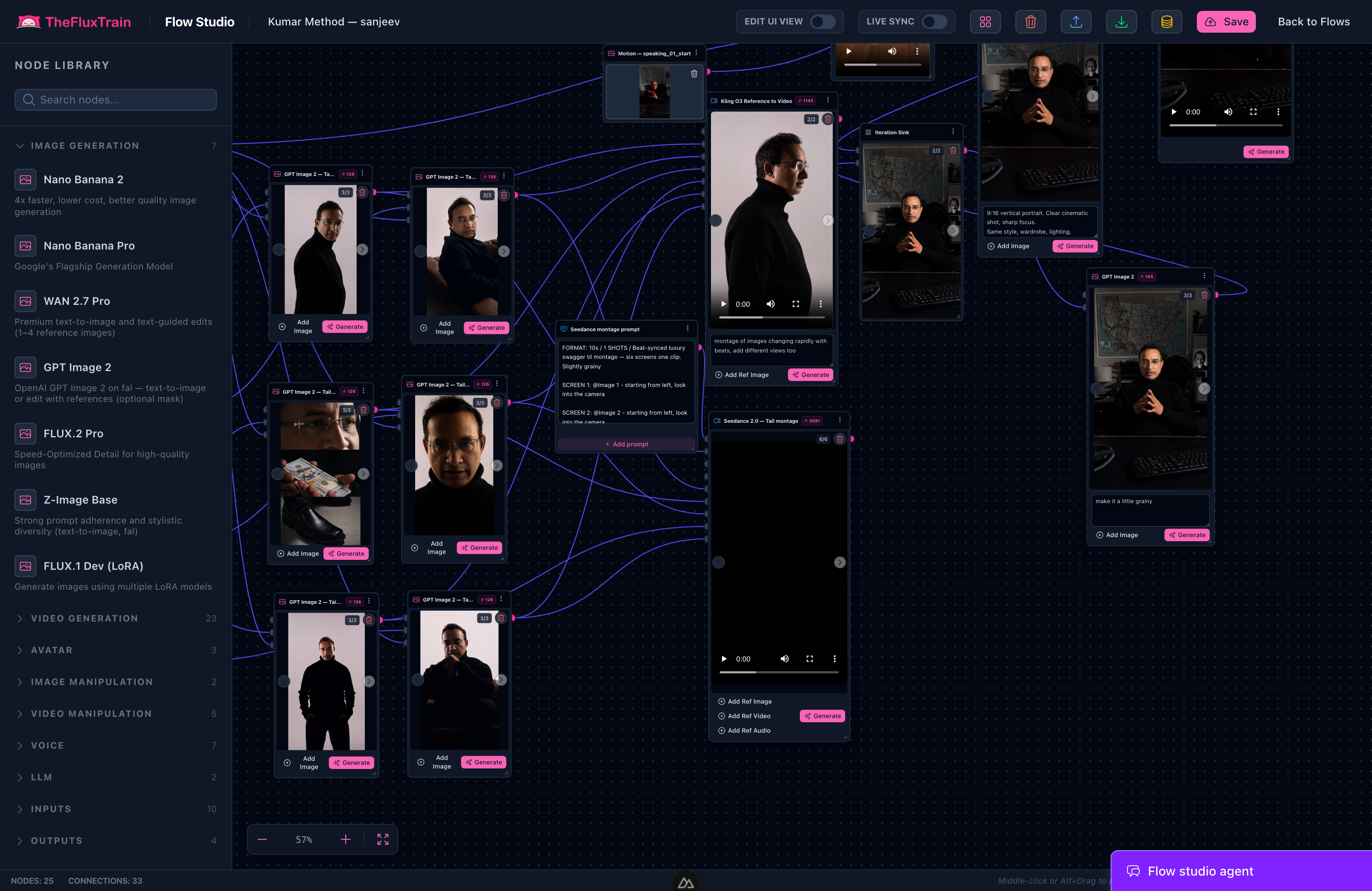
Each box is one step. Lines show the order—so every scene follows the same path.
Browse ready-made workflows on Explore, or start from the AI Product Ad Generator if you want an example to adapt.
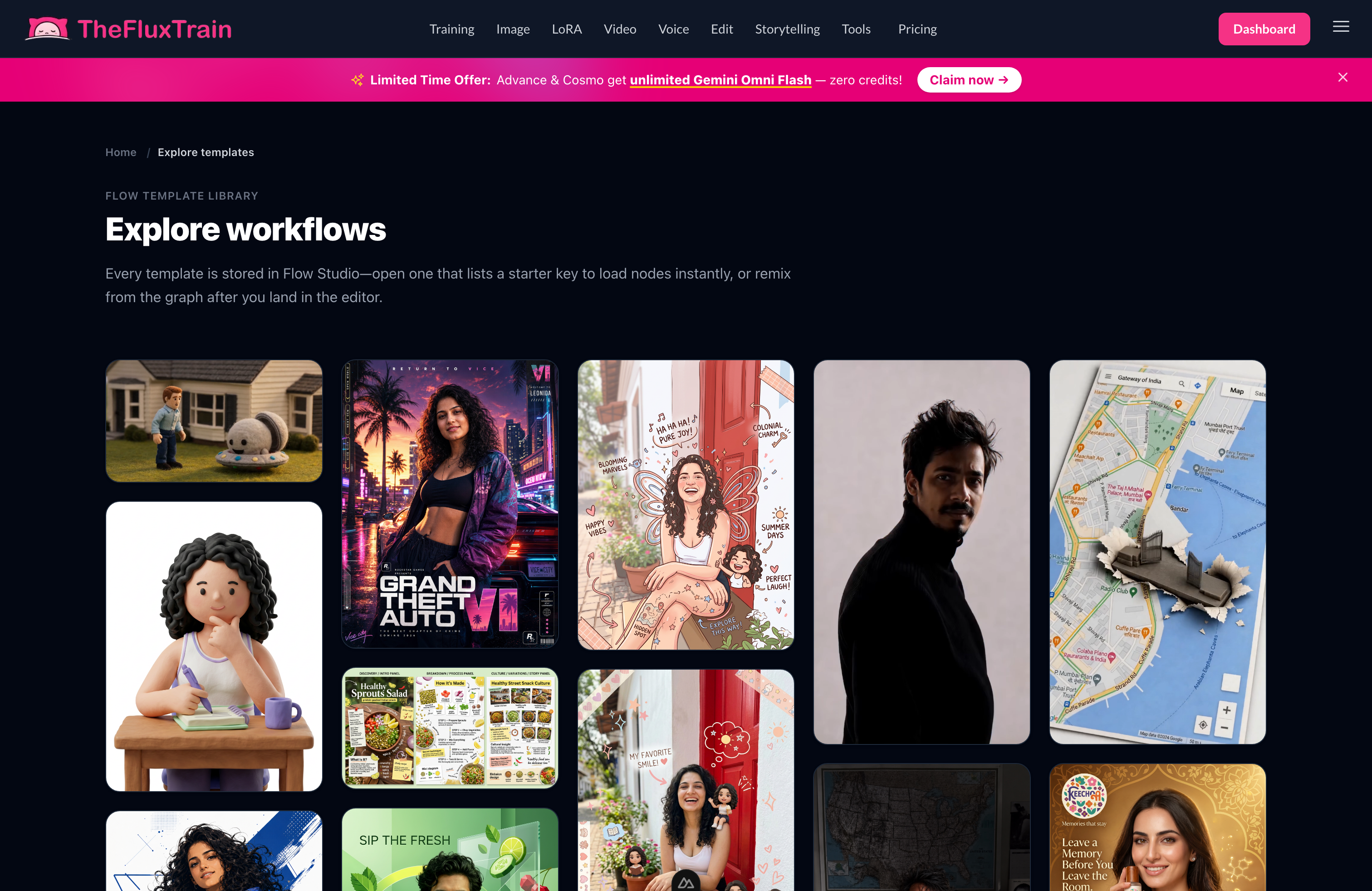
Open a template, swap in your story and characters, and run it.
Video editor
Flow Studio gives you individual clips. The video editor is where they become a film—cut pauses, reorder scenes, add voiceover and music. Many AI films fail at this step: the clips are fine, but the pacing is wrong. Watch the full video from start to finish here before you export.
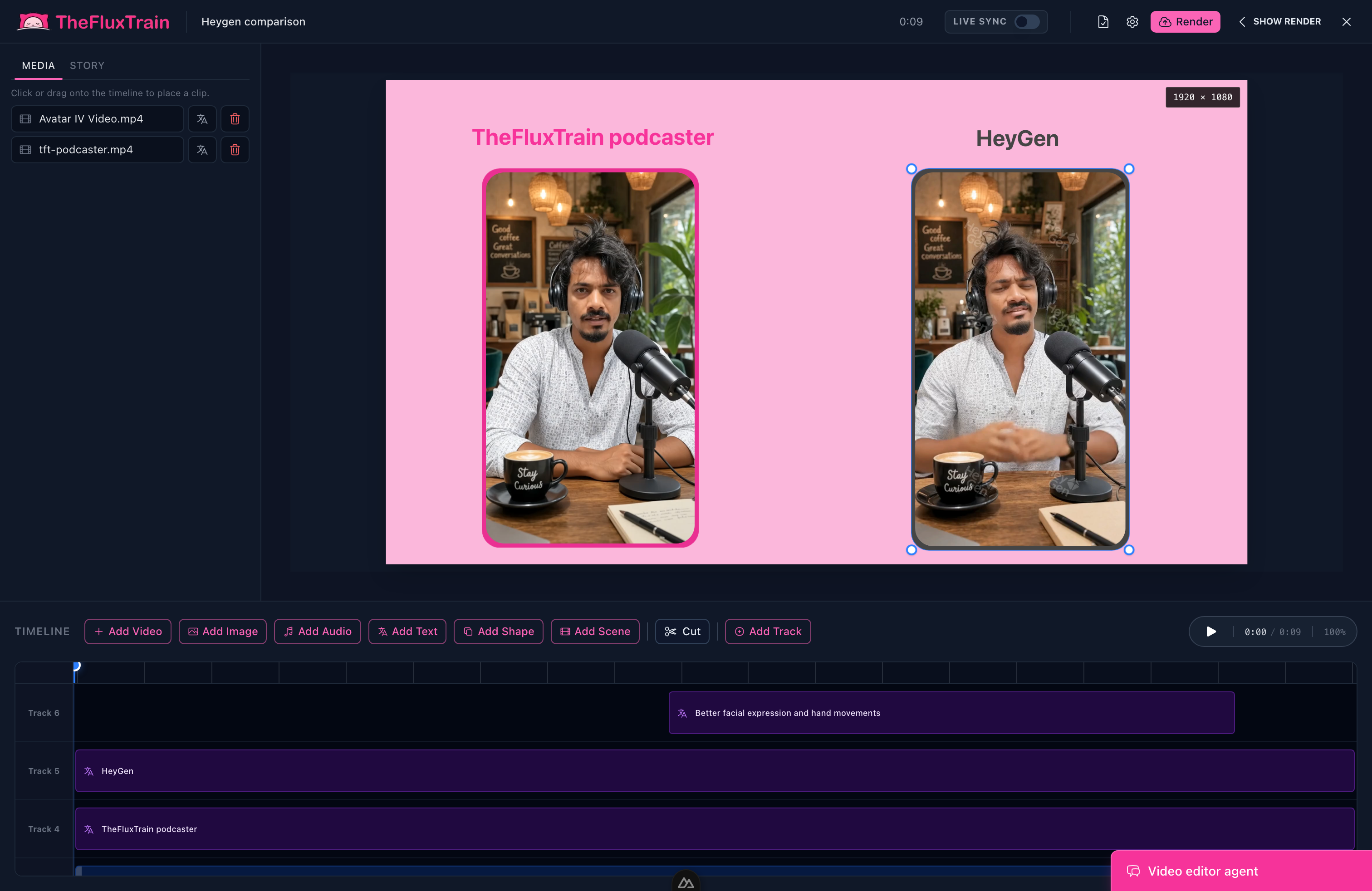
This is your first real screening—watch the whole thing, not one clip at a time.
Together, these three areas give you something a one-click generator cannot: memory—the same character in scene two and four, saved workflows for your next project, and an edit you can actually polish.
How do you go from idea to finished video?
Here is the path most people follow:
idea → script → storyboard drawings → character profiles → make each scene → edit → finished video
| Step | What you do | If you skip it… |
|---|---|---|
| Idea | Decide genre, length, audience, one image in your head | You spend credits on a film you never really planned |
| Script | Write what happens in each scene; name clothes and props once | You get pretty clips that do not tell a story |
| Storyboard | Make still drawings for each moment; check they flow together | You pay for video fixes you could have caught in drawings |
| Characters | Lock how your lead looks; reuse your saved workflow | Faces and outfits change randomly between scenes |
| Final edit | Watch the whole video; trim and export | Good clips feel wrong because of bad pacing or order |
For more on scripting with Claude, see Vibe Coding for Video: How Claude Can Direct an Entire Film.
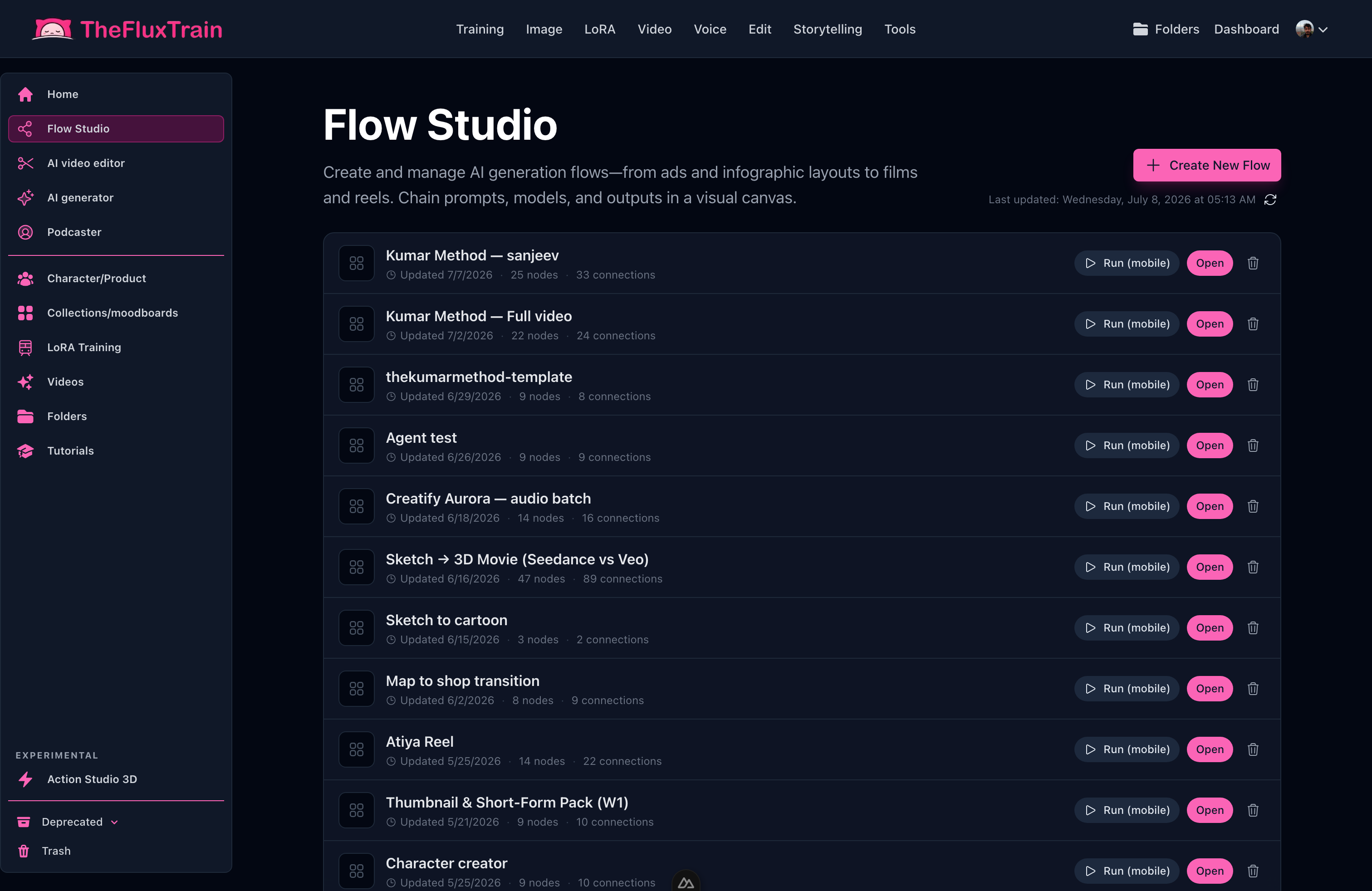
Reuse a workflow that worked—swap in a new story and run the same steps.
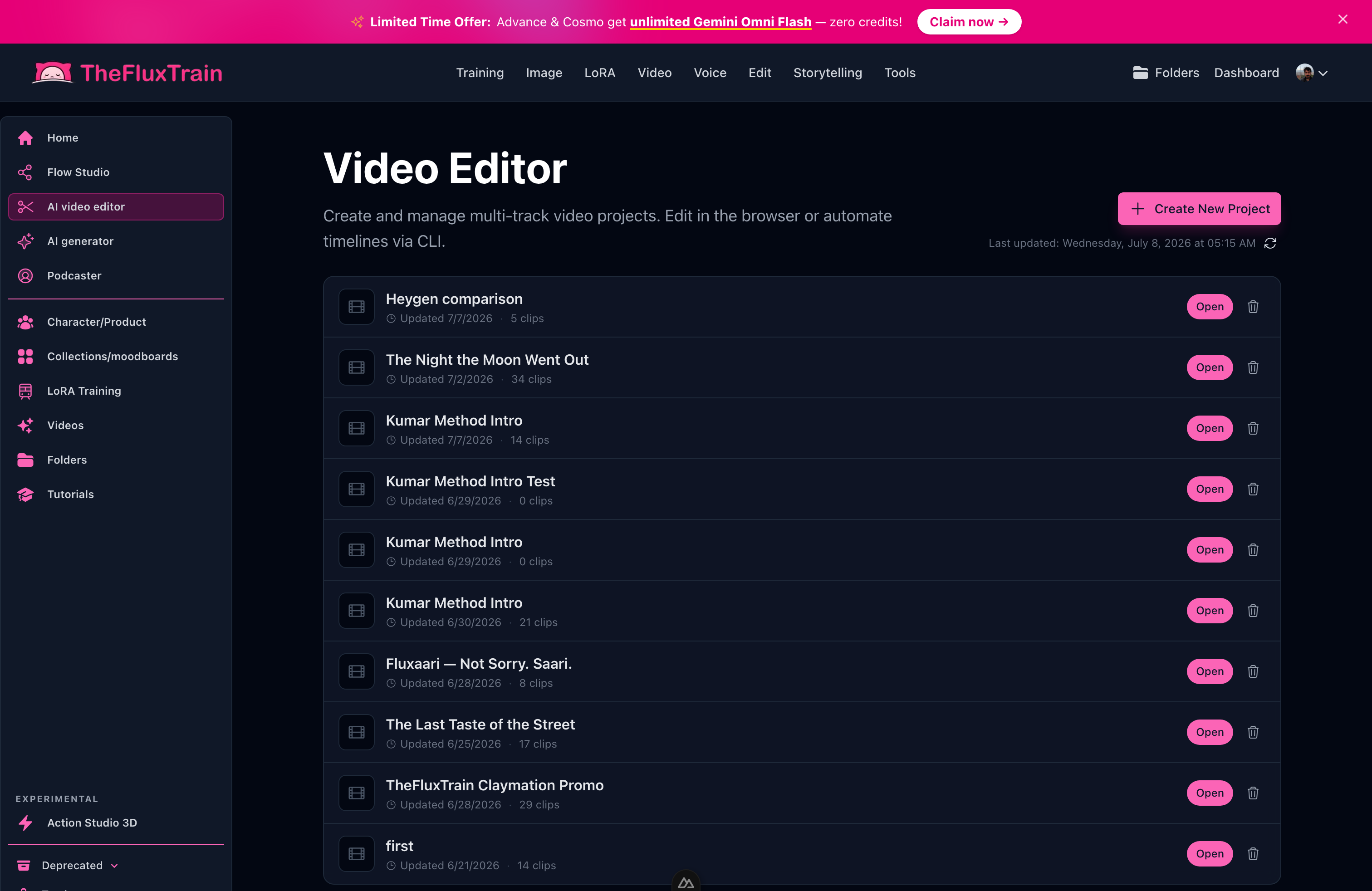
Open a project, watch the full cut, adjust, and export.
Why is video creation becoming a conversation?
Whether you call it vibe coding, vibe directing, or vibe video, the pattern is the same: you decide what should change; the AI handles the busywork.
You say "slower pacing" or "match the coat from the storyboard." Claude updates the plan; TheFluxTrain runs the generations and keeps your edit. Video Creation Is Becoming a Conversation goes deeper on that idea.
Where should you go next?
This article is the starting point. Pick what fits you:
- How to Create Your First AI Short Film with Claude and TheFluxTrain — step by step in Claude's chat, clicking in the browser
- How to Create Your First AI Short Film with Cursor and TheFluxTrain — same steps, but Cursor runs commands for you in a project folder
- Vibe Coding for Video: How Claude Can Direct an Entire Film — how Claude helps steer a full film
- How to Maintain Character Consistency Across an AI Film — keeping the same face across scenes
- Vibe Directing Is the Next Vibe Coding — why this way of working is catching on
What are the limits of vibe video?
Credits and do-overs — Redoing shots on a short film is normal, not a sign you failed.
Legal checks — AI-generated people, logos, and music may need permission before commercial use.
What AI still struggles with — Smooth hand movement, long unbroken shots, and complex action. Making scenes one at a time with reference images works better than one giant request.
Learning curve — Chatting with AI is easy; Flow Studio may take an hour to feel comfortable. It gets much faster on your second and third project.
How do you try vibe video on TheFluxTrain?
If you have even half a page of story, open Claude and describe how long the film should be, the mood, and one image you cannot get out of your head. Plan the beats together before you generate video. When you are ready, open TheFluxTrain to save characters and run your scenes.
For a guided first project, follow How to Create Your First AI Short Film with Claude and TheFluxTrain. To start from a ready-made workflow, browse Explore.
Your first pass is about getting the story to work. The second pass is where it starts to feel like real filmmaking.
Frequently asked questions
What is vibe video?
Filmmaking where you describe your story in normal conversation and an AI helper handles the script, drawings, characters, clips, and edit. You give creative direction; the tools do the heavy lifting.
How is vibe video different from text-to-video?
Text-to-video gives one clip from one typed request. Vibe video is the whole process—story, drawings, a consistent character, scene-by-scene clips, and a finished edit.
Do you need prompt engineering to make vibe video?
No. You need a clear story—mood, pacing, what should happen in each shot—not clever keyword tricks. The AI turns your plain notes into production steps.
What tools do you need for vibe video?
An AI chat app (Claude or Cursor), something like ChatGPT for early story brainstorming, and a production site with character storage, a workflow builder, and a video editor. TheFluxTrain covers the production side.
How long does a first vibe video project take?
Plan an afternoon for your first try. A simple 30–60 second film with one character usually takes 60–90 minutes of your time, plus waiting while clips generate.
How much do vibe video generations cost in credits?
TheFluxTrain uses credits—each image or video clip costs some. Still drawings are cheaper than video. Expect to redo a few shots; that is normal.
Can you use tools other than Claude for vibe video?
Yes. Cursor and similar AI assistants work the same way. You can also swap image and video models if your workflow supports them.
What is the biggest mistake beginners make with vibe video?
Skipping planning and jumping straight to video. Fix the look, clothes, and framing in storyboard drawings first—before you pay for moving video.